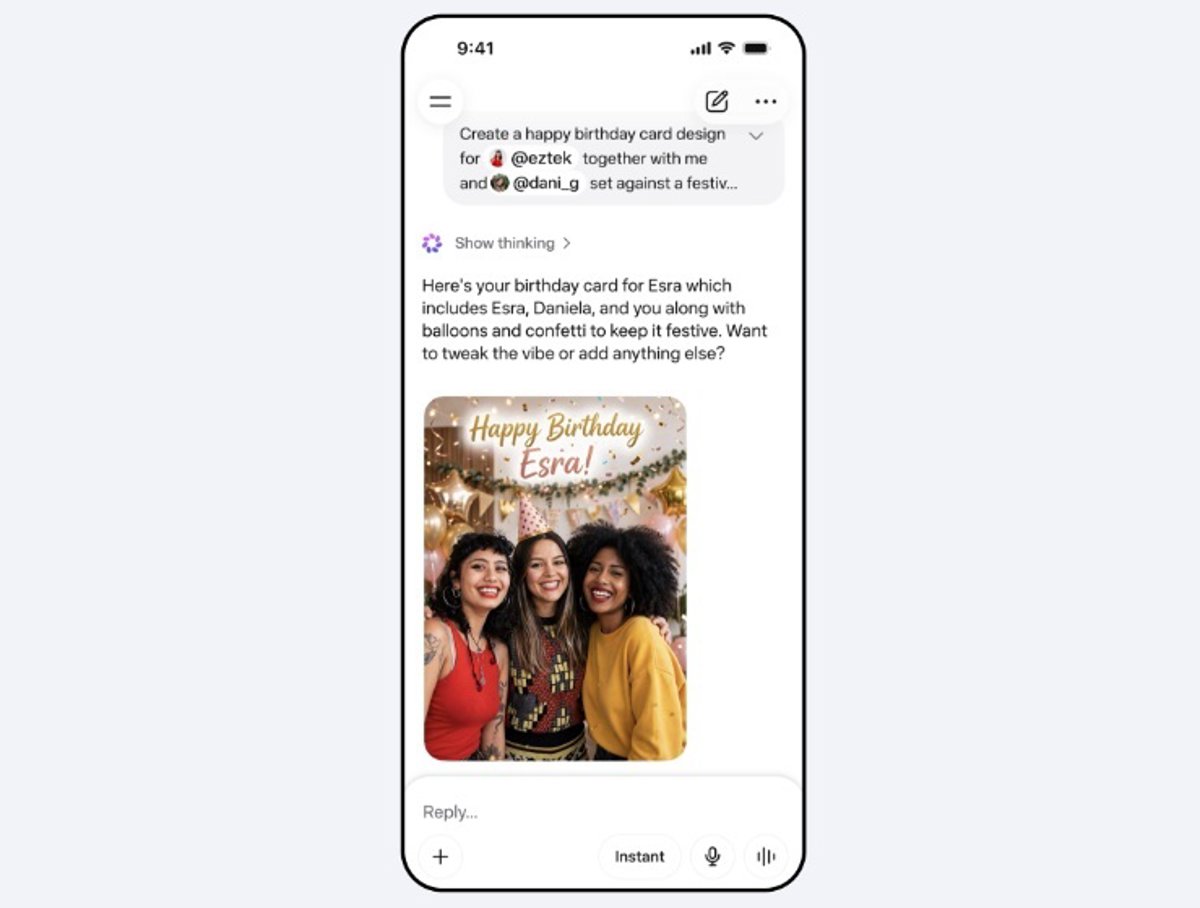
The new Meta image generator, Muse Imagehas been integrated into the company’s artificial intelligence assistant for creating content for social networks, which includes access to other users’ public Instagram photos to use in new content, a feature that can be disabled.
Muse Image is available on Meta AI and works like any other image generation model: from text prompts, you can generate content from scratch or working on an image already existing that the user provides.
But it also allows mention an Instagram user in the Meta AI application to incorporate the photographs that that person has shared publicly into the creation, for example, to make an invitation to an event or the draft of a collaborative proposal.
According to Meta, it is an option that users have control over, that is, they can manage from the settings to keep it enabled, and that anyone can mention them and use their publications in Meta AI, or “deactivate it at any time.”
HOW TO PREVENT META AI FROM USING YOUR INSTAGRAM CONTENT
To avoid mentions in Meta AI, within the Instagram profile settings menu there is an option called ‘Share and reuse’which allows you to manage whether other users can republish the shared content or if the assistant can use it.
Two settings appear in this option. The first, ‘Let people create with and reuse your content,’ It is precisely the one that must be activated if you want other people to take advantage of the content shared publicly with Muse Image in Meta AI. To deactivate it, just click on the ‘Publications’ (includes the profile photo) and ‘Reels’ options.
The second option is not directly related to Muse Image, but perhaps it will be related to the new video generation model that Meta is already working on. It appears just below the previous one, under the heading ‘Let people create content with your original audio and reuse it in Meta AI’.
This setting, if enabled, allows other Instagram users to use “part or all” of an original audio in Meta AI for their own content. If you do not agree with it, it is advisable to deactivate it.
Latest news on these topics
Erfahrungsbericht CaZeus Casino 2026: Test & Bewertung
Beste CaZeus Slots & Jackpot Spielautomaten
CaZeus Support: Ihr Kundenservice-Kontakt
Auszahlung CaZeus: Schnell und Sicher 💶
CaZeus Casino Online – Opinie 2026
Pobierz apk CaZeus Casino – instalacja pliku APK
Aplikacja mobilna CaZeus na Android i iOS
Bonusy CaZeus: Darmowe Spiny i Bonus Powitalny
Kasyno online CaZeus – Gry Kasynowe Na Pieniądze
Depozyt CaZeus: Jak wpłacić i minimalny depozyt
Pobierz aplikację CaZeus Casino teraz!
FAQ CaZeus: Jak działa i najczęstsze pytania
Czy CaZeus jest legalne? Legalność w Polsce
Zaloguj się do CaZeus Casino | Panel gracza
Mirror CaZeus: Link Alternatywny dla Blokady w Polska
Kasyno mobilne CaZeus – Gra na telefonie
Metody płatności w CaZeus: Blik, Karta, Przelew
Błędy z CaZeus: logowanie & depozyty
Kod bonusowy CaZeus – Kod promocyjny bez depozytu
CaZeus Casino – Opinie i Doświadczenia 2026
Sloty CaZeus: Najlepsze Automaty Online
Obsługa Klienta CaZeus – Support na Czas
Wypłata CaZeus: Jak wypłacić środki szybko?
CaZeus Casino Magyarország – Online Kaszinó
CaZeus Casino apk letöltés Androidra