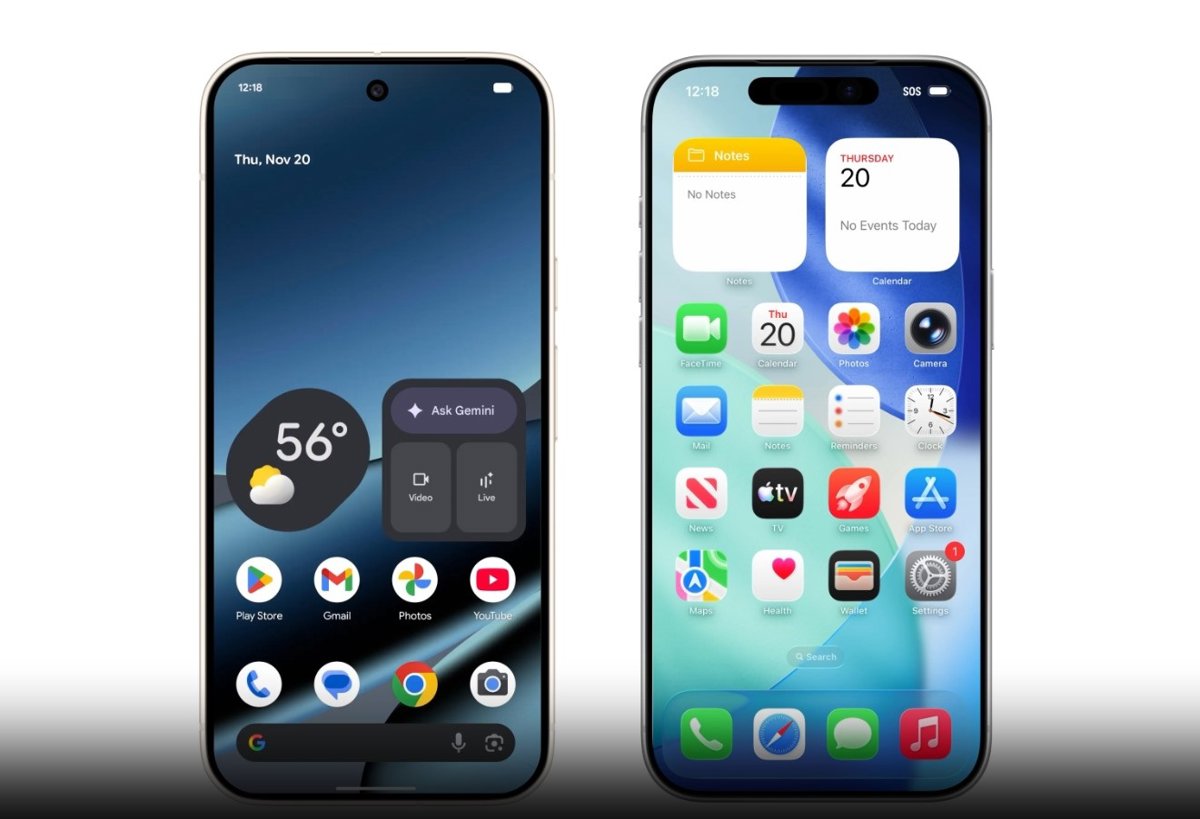
In this sense, although sharing files between devices with the same operating system has always been a simple procedure, with options such as Quick Share system for Android devices and AirDrop for Apple devices the process became complicated when transferring documents between smartphones with different software.
To share files between Android and iPhone smartphones, users have to resort to methods such as a wired connection between both devices or make use of third party applications such as Android Switch. If you want to transfer, for example, photographs, it is also an option to cloudcon services like Google Photos.
However, all of this requires the installation of applications, the subscription to services or more laborious processes. Therefore, faced with these difficulties, Google has taken a step to eliminate the operating system barrier between your Google Pixel smartphones and Apple iPhones.
Specifically, this Friday it announced the compatibility of Quick Share with Apple’s AirDrop so that users of smartphones with different operating systems can share files wirelessly.
At the moment, this function has begun to be implemented in the latest flagship devices of the technological giant, the Pixel 10 series, although it is will expand to more Android deviceswho will be able to exchange photos and files with other iPhone users in a simple way.
TRANSFER FILES FROM ANDROID TO IPHONE
So, the first step to start this file transfer would be open the Quick Share tool from the quick access panel of the Google Pixel smartphone. After that, you must access the ‘Send’ tab and, in the section of select filesclick on the ‘Select’ button.
A screen will then open to access the documents stored on the device, including the images, audio, videos or documentsas well as quick access to Drive, Google Photos, and recent files. Among all these options, you must choose the files in question that you want to send.
At the same time, you must ensure that the device iPhone to which the files are to be sent has its AirDrop connection activated and visible to ‘Everyone’. Something that can be checked from the quick access to the AirDrop settings, sliding the screen down from the upper right corner.
Once the material you want to send from the Pixel smartphone has been selected and the AirDrop connection on the iPhone has been guaranteed, all you have to do is wait for it to the iPhone device appears in the ‘nearby devices’ section de Quick Share.
Finally, it must click on the iPhone icon to which you want to send the files to begin the transfer. For its part, the iPhone device must accept the transfer by clicking the ‘Accept’ button in the AirDrop pop-up notification, which appears at the top of the screen.
Once the process is complete, the documents or images sent from the Google Pixel will automatically display on the iPhone screen, being stored on the smartphone automatically.
TRANSFER FILES FROM IPHONE TO ANDROID
Transferring files in the opposite case, i.e. from an iPhone to a Google Pixel 10, It is very similar to the process just explained. To begin, you must open the file you want to send, whether it is a photo or video in the Photos application or a document from the file folder.
Next, you will have to click on the send icon located in the lower left corner and, among the available options, select the AirDrop option. Meanwhile, on the Google Pixel 10 device, Quick Share must be open in the ‘Receive’ tab.
Once everything is prepared, The Google Pixel device will appear among the available smartphones for sending from the iPhone. Thus, you must click on said device to begin sending the files.
This transfer will appear in the section ‘Sharing with you’ Quick Share on the Pixel mobile and, to finish it, just click on the button ‘Accept’. All in all, the file will be downloaded to the Google device, where it will be stored.
Latest news on these topics
https://royalpokerbet.co.uk/the-best-quality-non-gamstop-casinos-the-things-members-should-be-aware-prior-to-when-individuals-carry-out/
https://winningpokerbet.co.uk/the-best-non-gamstop-casinos-what-players-should-know-before-they-play/
https://aceofspadescasino.co.uk/the-very-best-non-gamstop-casinos-exactly-what-gamers-ought-to-know-prior-to-these-people-perform/
https://betblitzcasino.co.uk/the-best-non-gamstop-casinos-what-players-should-know-before-they-play/
https://betkingdom.co.uk/the-very-best-non-gamstop-casinos-exactly-what-gamers-ought-to-know-prior-to-these-people-perform/
https://casinocraze.co.uk/the-most-effective-non-gamstop-casinos-just-what-participants-should-be-aware-of-just-before-they-will-enjoy/
https://pokerpowerhouse.co.uk/the-top-non-gamstop-casinos-precisely-what-avid-gamers-should-be-aware-ahead-of-that-they-participate-in/
https://royaljackpot.co.uk/the-most-beneficial-non-gamstop-casinos-what-exactly-people-should-know-previous-to-many-people-engage-in/
https://slotsensation.co.uk/the-perfect-non-gamstop-casinos-just-what-exactly-game-enthusiasts-ought-to-know-in-advance-of-people-have-fun-with/
https://albuquerquehardrockcasino.co.uk/one-of-the-best-non-gamstop-casinos-what-precisely-competitors-should-be-aware-of-earlier-than-these-execute/
https://betblazecasino.co.uk/the-ideal-non-gamstop-casinos-everything-that-online-players-should-be-aware-well-before-some-people-have-fun/
https://blackjackcasinopoker.co.uk/the-right-non-gamstop-casinos-whatever-individuals-should-know-previously-many-take-up/
https://cardsharkcasino.co.uk/the-best-quality-non-gamstop-casinos-the-things-members-ought-to-know-prior-to-when-individuals-carry-out/
https://casinoisagames.co.uk/the-best-non-gamstop-casinos-what-players-should-be-aware-of-before-they-play/
https://casinomerchandize.co.uk/the-very-best-non-gamstop-casinos-exactly-what-gamers-should-be-aware-prior-to-these-people-perform/
https://casinosreviewguide.co.uk/the-most-effective-non-gamstop-casinos-just-what-participants-should-know-just-before-they-will-enjoy/
https://downloadfreecasinogame.co.uk/the-top-non-gamstop-casinos-precisely-what-avid-gamers-ought-to-know-ahead-of-that-they-participate-in/
https://euskalcasino.co.uk/the-perfect-non-gamstop-casinos-just-what-exactly-game-enthusiasts-should-be-aware-in-advance-of-people-have-fun-with/
https://gardencitycasinoonline.co.uk/one-of-the-best-non-gamstop-casinos-what-precisely-competitors-should-know-earlier-than-these-execute/
https://highrollerhaven.co.uk/the-ideal-non-gamstop-casinos-everything-that-online-players-ought-to-know-well-before-some-people-have-fun/
https://icasinomac.co.uk/the-right-non-gamstop-casinos-whatever-individuals-should-be-aware-of-previously-many-take-up/
https://luckyloungecasino.co.uk/the-best-quality-non-gamstop-casinos-the-things-members-should-be-aware-prior-to-when-individuals-carry-out/
https://pharaonscasino.co.uk/the-best-non-gamstop-casinos-what-players-should-know-before-they-play/
https://pokerpalaceonline.co.uk/the-very-best-non-gamstop-casinos-exactly-what-gamers-ought-to-know-prior-to-these-people-perform/
https://rivieraonlinecasinos.co.uk/the-most-effective-non-gamstop-casinos-just-what-participants-should-be-aware-of-just-before-they-will-enjoy/