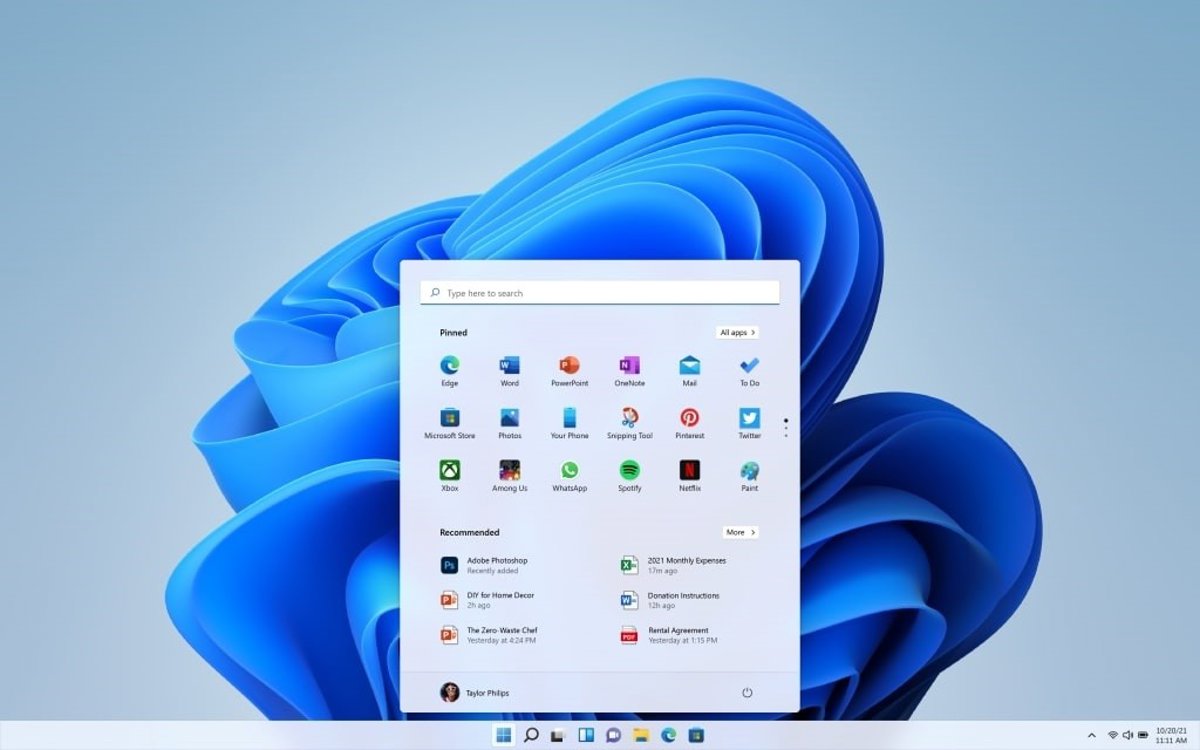
Microsoft has Update deployed to Windows Insiders which allows you to customize the size of the Start menu and position the taskbar according to the user’s preferences, among other new features to give more flexibility to the PC experience.
From its blog, the company has given details about the new Windows 11 update, which puts the focus on two of the most important areas of the desktop of the operating system, the Start menu and the taskbar.
The idea is give more options for the user to customize both experiences on your Windows 11 PC. The taskbar is one of the crucial spaces and now advanced users, such as developers, will be able to configure it to suit their own needs.
In the new update, now available in testing in the Windows Insiders program, Windows 11 allows you to locate the taskbar on the top and bottom and on each side of the deskas well as the alignment for each of the chosen positions and the use of functions such as Home, Search and others specific to the location of the taskbar. Which means that if you position it at the top, Home will always open from there.
Another novelty in the new Windows 11 customization is the ability to see all windows at a glance. This offers the ability to use a vertical taskbar, with the ‘Never Merge’ setting and labels enabled, so that each app window appears as a separate button, making it easy to identify and quickly switch between them.
This update comes with another objective: reduce the size of the Start menu which, after the update deployed in November of last year, began to occupy almost twice the space it previously took.
Now you can choose between small and large version of the menuwhich helps reduce its size and let users prefer a more minimalist and more typical Start menu experience to what Windows 11 has always been.
There are more options, such as ‘Pinned’, ‘Recommended’ and ‘All’ selectors that allow you to show or hide parts of the menu to simplify the experience, so you can turn off ‘Recommended’ and ‘All’ to leave a cleaner Start menu. These selectors will be deployed over the next few weeksas well as the option to hide the name and profile photo from Home to protect privacy when sharing the screen or streaming.
Microsoft has previewed the next experiences that will arrive shortly, such as the tablet-optimized taskbarthe ability to automatically hide it, touch gestures for alternative positions and support, in this case, for search boxes.
There is another development that Microsoft is considering to include in a new update for users with multiple monitors– The ability to select different taskbar positions per monitor and drag and drop.
https://landscapinghanson.com/lawn-care/artificial-grass-installation
https://landscapinghanson.com/lawn-care/dethatching-lawn
https://landscapinghanson.com/lawn-care/fertilizing-lawn
https://landscapinghanson.com/lawn-care/lawn-edging
https://landscapinghanson.com/lawn-care/lawn-grubs-control
https://landscapinghanson.com/lawn-care/lawn-installation
https://landscapinghanson.com/lawn-care/lawn-leveling
https://landscapinghanson.com/yard-clean-up
https://landscapinghanson.com/yard-clean-up/gutter-cleaning
https://landscapinghanson.com/yard-clean-up/leaf-removal
https://landscapingholbrook.com/gardening
https://landscapingholbrook.com/gardening/flower-bed-maintenance
https://landscapingholbrook.com/gardening/flower-planting
https://landscapingholbrook.com/gardening/hedging
https://landscapingholbrook.com/gardening/weeding
https://landscapingholbrook.com/lawn-care/dethatching-lawn
https://landscapingholbrook.com/lawn-care/fertilizing-lawn
https://landscapingholbrook.com/lawn-care/lawn-aeration
https://landscapingholbrook.com/lawn-care/lawn-grubs-control
https://landscapingholbrook.com/lawn-care/lawn-leveling
https://landscapingholbrook.com/lawn-care/lawn-mowing
https://landscapingholbrook.com/lawn-care/lawn-renovation
https://landscapingholbrook.com/lawn-care/sod-installation
https://landscapingholbrook.com/lawn-care/weed-control
https://landscapingholbrook.com/yard-clean-up