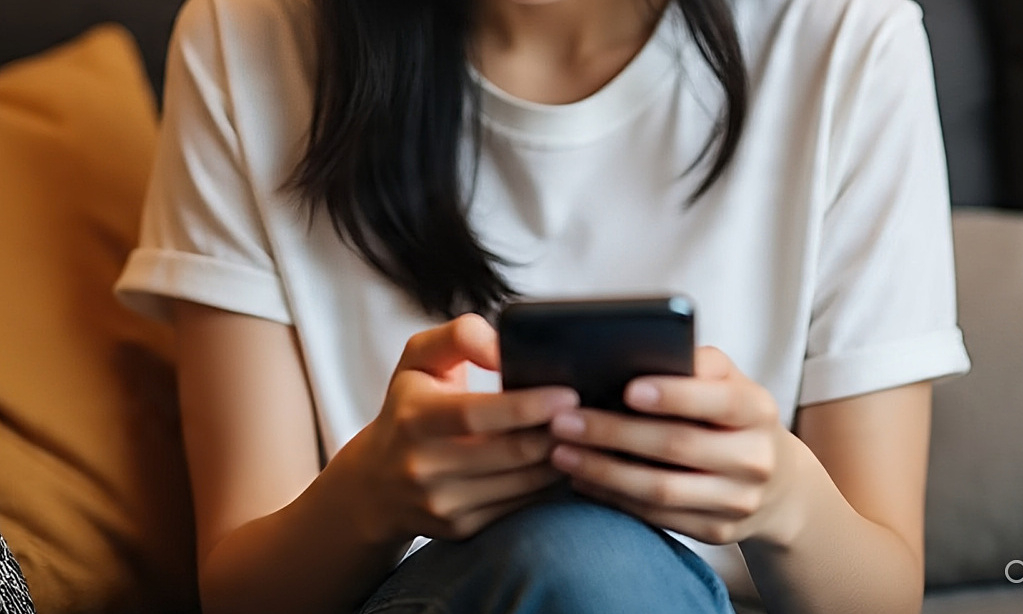
Limit device use, keep an appropriate distance from the screen, maintain eye moisture to help reduce the impact of blue light on the eyes.
Continuous exposure to blue light from phones, computers and electronic devices can cause dry eyes, eye strain, glare and affect sleep. Experts recommend adjusting screen usage habits to reduce impact on eyes and overall health.
Rest your eyes regularly
Looking at the screen for a long time causes the eyes to constantly adjust, easily leading to digital eye strain with symptoms such as dry eyes, headaches, blurred vision or stinging. One of the simple ways to help reduce this situation is to apply the 20-20-20 rule. After every 20 minutes of looking at the screen, look at an object about 6 meters (20 feet) away for at least 20 seconds to relax your eyes.
Resting your eyes periodically helps reduce pressure on eye muscles, limiting dryness and eye fatigue when working long hours on a computer or phone.
Reduce usage time in the evening
Reducing screen exposure in the evening not only helps your eyes rest but also helps improve sleep quality.
Blue light from phones, tablets, televisions or LED lights can affect the body’s circadian rhythm, especially at night. This type of light reduces the secretion of melatonin – the hormone that supports sleep, making it difficult for many people to fall asleep or stay asleep.
Experts recommend limiting the use of electronic devices at least an hour before going to bed. If forced to work at night, users can reduce the screen brightness or switch the device to “night mode” to limit blue light emitted.
Adjust screen distance and position
The distance between the eyes and the screen also affects the level of eye fatigue. The computer screen should be placed about 75 cm away from the eyes and the center of the screen slightly lower than eye level. This helps the eyes open more naturally, reducing dry eyes when working for a long time.
For phones, you should keep a minimum distance of about 35-40 cm instead of looking too close. Avoid using the device in very dark environments because high contrast may cause the eyes to adjust more.
Maintain eye moisture
When focusing on the screen, the frequency of blinking often decreases significantly, causing tears to evaporate quickly and causing dryness. This condition is common in people who work in the office or use the phone for long periods of time.
To limit dry eyes, you should proactively blink frequently, drink enough water and rest your eyes periodically. In some cases, artificial tears can be used according to your doctor’s instructions to keep your eyes moist and reduce the feeling of burning or discomfort. Getting enough sleep also helps your eyes recover after prolonged exposure to electronic screens.
Use a filter sticker or turn on night mode
Using a screen protector for your phone, tablet, and computer can help reduce the amount of blue light emitted. Users can also activate night mode on mobile devices. This feature automatically lowers the brightness and changes the screen color to a warm tone, helping to soothe the eyes and improve sleep quality.
https://www.cedi193.org/group/wced-group/discussion/eb63e7f5-2649-437e-84dc-0dd270fbe15c
https://wakeuptaylor.boardhost.com/viewtopic.php?pid=51125
https://www.scarberianboxing.com/group/scarberian-boxing-club-group/discussion/2bf68a7d-da7f-4358-8162-fd3e7077554f
https://www.bigswinggolfcenter.com/group/altprotein-group/discussion/c968201b-7ff5-4484-9741-207f9b218111
http://forum.saiga-12.com/index.php?/topic/158850-using-digital-currency-for-sports-betting-is-pretty-convenient-right/
https://www.flexgigzz.com/community/topic/are-there-any-advantages-to-using-stablecoins-for-online-gaming/#postid-54528
https://www.nationalsoccernetwork.com/group/nsn-group-chat/discussion/a6713432-ee31-4e40-96e3-4197907afada
https://www.amzicollectionsusa.com/shop-sarees-online-indian-ethnic-wear-usa/desi-clothing-usa/discussion/0f5fe9a3-a3c8-41f5-9375-fb00eb0c7e4e
https://www.totalsportstravel.com/group/totalsportstravel-group/discussion/2aa453e1-e1f7-43a1-964a-398dd40e48d1
https://www.sportsweek.ca/group/novice-karate-group-ages-8-up/discussion/49aa5430-ddd1-48eb-a672-379bb88466d2?commentId=bc325b62-714f-4d18-b740-2790bc9ae51f
https://www.fenixxfit.com/group/elite-fenixx-fitness-team/discussion/b2182c5d-c404-4ace-8bed-fa3f50781356?commentId=ad248aff-677c-4d1f-85d3-441d3beafc7f
https://www.mcsportsleague.com/group/daily-motivation-tips/discussion/66b98b78-882b-4707-beb6-72dfabf037fd
https://www.farstudio.ca/group/far-online/discussion/afbbbcbf-392f-46b3-8ed6-d91bd5f0218e
https://www.noosaboardroom.com.au/group-page/meeting-spaces-group/discussion/583ce1a3-5256-46de-a747-1581b93dded8
https://www.elixirmusichouse.com.au/group-page/elixir-music-house-1-group/discussion/232676dc-3d55-4e71-8d79-ba761a7926ef
https://www.wixseo.org/group/wix-seo-company-group/discussion/4b561e07-a612-4a59-aa8a-fcdbcc5fdac6
https://www.biggametailgates.com/group/big-game-tailgates-group/discussion/b53cc064-f9cc-437d-9370-3313606c0a4a
https://www.hopetraining.com.au/group/adl-mt/discussion/8aef32c4-1dc7-4f96-9081-acc98a5d9f2d
https://www2.archivists.org/groups/technical-subcommittee-on-encoded-archival-standards-ts-eas/ts-eas-open-working-meeting-on-thursday-august-13-2020
https://www.siltakemmakat.com/group/siltakemmakat-group/discussion/45f3251b-6bbe-47a4-b3ed-ac34e5cd956c
https://www.sdrmsociety.org/forums/topic/sharing-small-wins-and-first-impressions-with-online-betting-platforms/
https://www.livewithlacee.com/group/mysite-group/discussion/6ebc4a2a-118e-4f7f-9ba9-d03812f4d405
https://www.thebeardedplantaholic.com/group/beardedplantaholic-group/discussion/a356fc5e-5071-4aec-bb6c-74af3f653376
https://mforum3.cari.com.my/home.php?mod=space&uid=2556799&quickforward=1&id=611930
https://tabbles.net/topic/file-explorer-alternative/