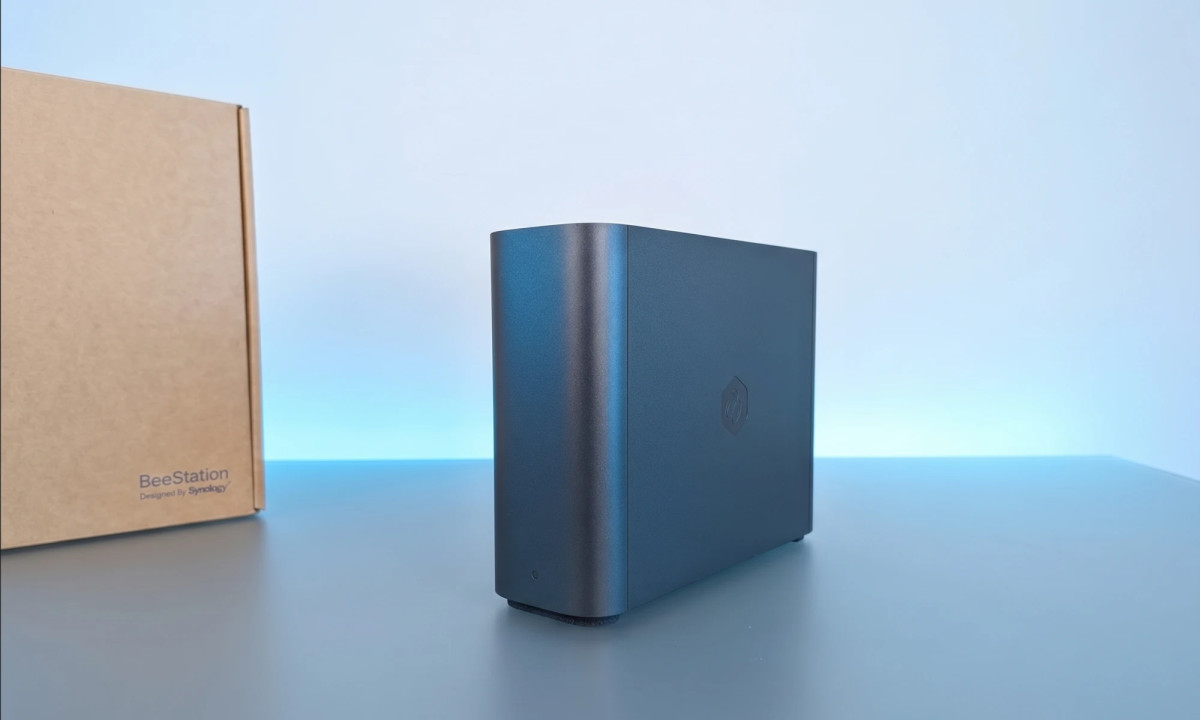
We pay a lot of money for cloud storage services, whether it’s Google or Apple. The monthly payment for these services only increases over time, because the storage volume we paid for is running out and we need to upgrade the plan. This problem will only get worse, because the content we produce only increases in size, due to the better quality, which of course takes up more space. A solution has already been found for this problem (at least one that is good for this period), these are home drives with a large storage volume to which you can connect remotely.
Drives of this type are a type of private home cloud, to which all family members can be connected using applications that are installed on a smartphone, tablet or computer. Everyone has access only to their own content and there is content that everyone has access to. In short, like Google’s cloud backup service, only one that sits at your home. This is not a new idea, the Western Digital company already launched a series of products of this type years ago, but they suffered from an unfriendly interface in the application and on the computer.
The Taiwanese company Synology, known for its professional storage servers, entered this category. The company also has products intended for the wider consumer audience under the Bee brand, with the BeeStation Plus being one that should provide the home solution. Apart from the payment for the drive, there is no payment for the application or software for the computer, so it is essentially a one-time payment.
The BeeStation Plus is a drive that comes with a massive 8 Tera storage capacity (there is also a 4 Tera storage version with extended specifications). This is a SATA HDD drive also from Sineology (the company also manufactures drives). The Plus has an Intel Celeron J4125 processor with 4 gigabytes of DDR4 RAM.
This is a drive that actually works by itself, it does not need the computer to work, but only a wired internet connection (LAN).
Installation on computer and smartphone – BeeStation Plus
The installation of the Plus is easy, when the kit mainly includes a cardboard card with a QR code, which enables by scanning to install the necessary applications on the smartphone or to enter a web address on the computer. The drive itself requires a power connection and an Internet connection, with a LAN cable included in the kit.
I used an Android smartphone (Galaxy S26 Ultra and Nothing phone (4a)) to experiment and also on a MacBook Air (M1) computer. It is basically the same application/software that is installed on the devices: BeeFiles, which provides access to the file folders on the computer and smartphone, including the option to place the folder as a cloud folder on the computer for quick access and an additional Sineology interface for tracking the file transfer.
The smartphone also has the BeePhotos application that allows for more convenient viewing of photos, including division by days, months, years, albums and photos you have shared.
The photo application allows you to perform a smart search in it, for example, write a chair, smartphone or location and find the related photos, but BeePhotos does not support Hebrew and you will have to do the search in English. On the other hand, the application automatically tags faces, so you can tag the people’s names in Hebrew. Also, from what I saw, the face recognition didn’t always work well, especially with children, when it separated pictures of my daughter, even around the same age as two separate people. Yes, this labeling can be fixed relatively simply.
BeePhotos allows you to install it on the smartphones of other family members, without you having access to this content, in order to maintain the privacy of the users. In this way, you can use the Sineology drive to back up the photos and videos of your spouse and children and thus also save the payment for them for the backup.
The response time of the BeePhotos for viewing the content is fast and even immediate, the navigation in the photos and videos was smooth and this is a critical thing if you want to enjoy a good experience and not start missing the Google or Apple photos app.
The second application is BeeFiles, which I installed on both my computer and smartphone. Here you will get access to all the files you transfer to it for backup, whether photo/video folders and documents. In this application you can share photos via a link with anyone or with your other BeeStation users (by marking the file).
This application also allows you to perform all the version updates of the Plus and invite family members to share the drive with you.
In the computer version of the BeeFiles, you can make a connection with the cloud services of Google and Apple to copy all your content to Plus, so, if you want, you can stop paying them.
The contents are only yours and only yours
A home storage drive is a private thing and it allows you to save the contents only with you and not in the cloud services of the global technology giants. On the other hand, a home storage drive is a drive that sits physically at home and in the Israeli reality where homes may be damaged, an additional backup that is in the cloud may also be needed.
Sineology has a solution to this challenge, it is a service called Acronis True Image that backs up all the content on your computer, including the operating system, applications, settings and files. Sineology offers a 3-year subscription for it. After that, the cost of a subscription ranges from $50 to $73 per year.
One of the things I liked about this drive is that you can purchase the company’s security camera and use the Plus as its storage drive and thus save the camera service storage fee.
This is not the only connection that Sineology offers, if you use the Plex service to watch content, the Plus can be used as your media server for accessing your movies.
Bottom line, we depend on the various cloud backup services to store our memories and their price is only going up. The BeeStation Plus storage drive gives you and all your family members a huge storage capacity, while it also keeps your contents private. Besides the one-time payment, you won’t have to pay more (at least for several years), because the volume of 8 Tera is huge. On the other hand, a drive that is physically sitting at home still suffers from the disadvantages of damages that your apartment may undergo, and in the Israeli reality, this is something that cannot be underestimated.
advantages
Quick response in the photos and videos app
A drive with a huge volume of 8 Tera
Solves the problem of paying for cloud services for you and all family members
Smartphone and PC friendly apps
Includes a solution for additional backup in the cloud (free for 3 years)
Media server for Plex
Disadvantages
high price
The applications do not support Hebrew (the search is in English)
A physical drive sitting at home, you’ll still need a backup somewhere else
No WiFi connection, only LAN