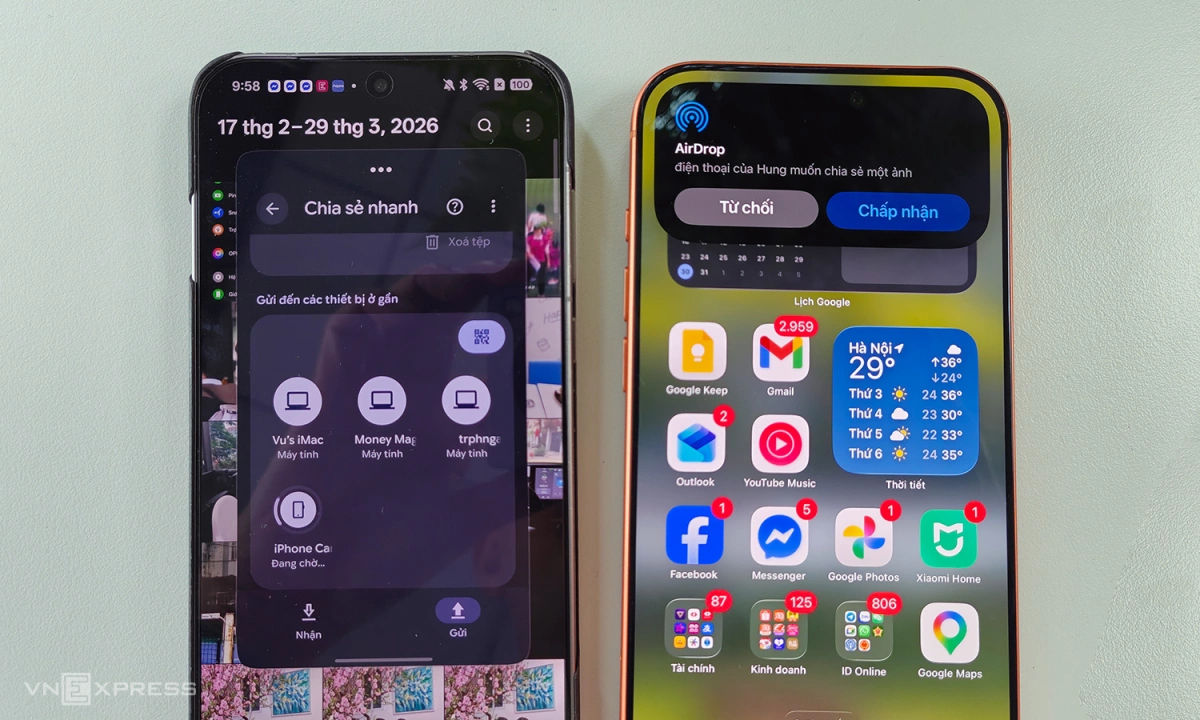
After Samsung, Oppo Find X9 series began updating compatibility with AirDrop on iPhone, iPad, and Mac computers.
Over the weekend, many users of Oppo’s Find X9 and X9 Pro phones said they were able to use the Quick Share feature available on the device to send files to Apple devices. Users just need to select photos, videos, files, then select Share/Quick Sharedevices such as iPhone, iPad, Mac computer with AirDrop enabled in sharing mode Everybody will display in the item Devices are nearby.
Testing shows that the ability to recognize the device and the speed of sending files from Find X9 Pro to iPhone 17 Pro Max are very fast, no different from when sending between iPhones. Some people said they tried it with a Chinese Find X9 but did not use the feature. Meanwhile, genuine devices need to update software version CPH2791_16.0.5.701 or newer to be compatible with AirDrop.
According to Oppo representative, in the first update, only Find X9 and X9 Pro will support it, while other models will have feature upgrades soon. The next model is likely to be Find N6.
Before it could work directly with AirDrop, Oppo developed a set of O+ Connect features to help its devices transfer files to Apple devices. However, iPhones, iPads or Macs also need to install Oppo software to use, while the new method does not need this. Compared to simple AirDrop, O+ Connect adds more features, such as remote control and screen mirroring similar to Apple’s iPhone Mirroring.
Transfer photos via AirDrop from Oppo Find X9 Pro to iPhone 17 Pro Max. Image: Tuan Hung
Last week, Samsung also announced a software update for the Galaxy S26 to send and receive files with AirDrop. Two days after the global announcement, genuine devices in Vietnam also began to use this feature.
AirDrop is one of the most loved technologies in the Apple ecosystem. Users can quickly transfer files between iPhone, iPad, Mac at high speed without needing to install any additional software. With a large user base and ease of use, this is one of the barriers when users want to switch from iPhone to Android phone.
First introduced by Apple in 2011 on the Mac OS In recent years, the company began to tighten security by setting the default “Contacts only”, which means only people in contacts can find each other. If they want to receive files from strangers, they must turn on “Everyone for 10 minutes”.